Want to learn ArcGIS free without paying for expensive training courses? Esri — the company behind ArcGIS — publishes official guided lessons anyone can take for free at Learn ArcGIS. These are not random YouTube tutorials. Each lesson is a step-by-step project built by Esri’s own training team, with real data, real workflows, and lessons from 15 minutes to about 2 hours. This guide shows you exactly where to start, which lessons to take first, and how to earn free certificates that look good on a resume.
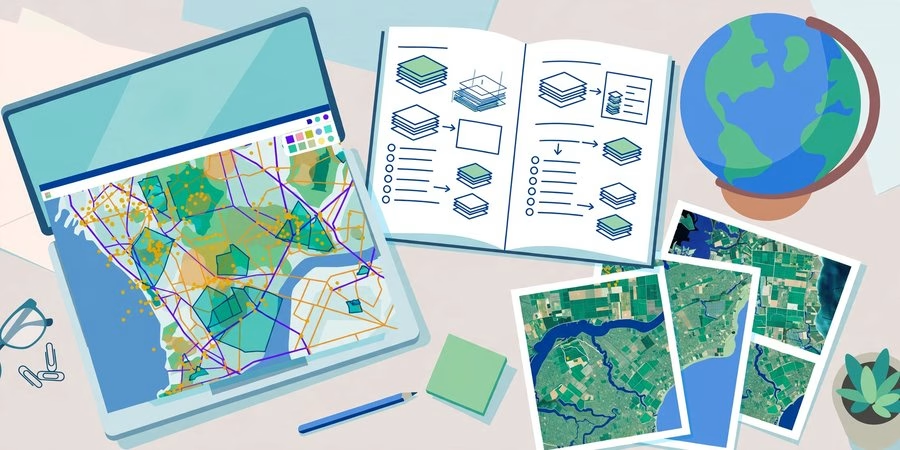
Learn ArcGIS Free: The Official Guided Lessons Path
The best place to learn ArcGIS free is Learn ArcGIS, Esri’s official learning site. Its tutorial gallery contains dozens of guided lessons, each tagged by skill level (Beginner, Intermediate, Advanced) and time. You work through a real-world scenario — mapping malaria epidemics, simulating a flood, delineating a watershed — and finish with a skill you can reuse in class or at work.
Most lessons run entirely in your web browser using a free ArcGIS public account, which takes two minutes to create. Lessons that use ArcGIS Pro need the desktop software — students can usually get that free too (see our ArcGIS Pro free download guide).
Start with these 5 beginner lessons
If you are completely new, take them in this order:
1. Getting Started with GIS (~4 hours). The foundation. It explains what a GIS is and how maps, layers, and analysis fit together. Do this first — everything else builds on it.
2. Explore a watershed (30 minutes). Delineate the Bear Creek Watershed and view it in 2D and 3D. A satisfying first hands-on project that teaches terrain concepts fast.
3. Explore imagery — temporal resolution (35 minutes). Work with real satellite imagery in ArcGIS Pro and learn how repeated images reveal change over time. Great prep for remote sensing classes.
4. Clip raster data (15 minutes). A quick, confidence-building lesson: extract raster data inside a study-area boundary and share the result. Useful in almost every analysis workflow.
5. Monitor malaria epidemics (45 minutes). Map malaria incidence rates from 2016 to 2020 against UN development goals. This is the lesson that shows what GIS is really for — answering real questions with real data.
Level up with these intermediate and advanced lessons
Monitor algae bloom in a lake (45 minutes, intermediate). Compute change in chlorophyll concentration with ready-to-use Sentinel-2 imagery layers in ArcGIS Online. Real environmental remote sensing.
Explore ModelBuilder in Map Viewer (55 minutes, intermediate). Chain analysis tools into documented multi-step workflows. This is how professionals automate GIS work.
Simulate a flood in ArcGIS Pro (1 hour, advanced). Prepare raster layers, run a flood simulation, and assess impacts on infrastructure. One of the most impressive portfolio pieces in the gallery.
Use AI assistants in ArcGIS (about 1 hour, beginner). Esri’s newest series. Learn to use natural-language prompts to complete GIS tasks faster — a skill every new GIS hire is expected to have now.
Also in the gallery: Telling Stories with ArcGIS StoryMaps, Getting Started with Arcade (the ArcGIS scripting language), and Discovering Patterns Using ArcGIS Insights.
Free Esri Academy courses with certificates
Beyond the guided lessons, Esri Academy offers free self-paced web courses with certificates of completion — the three most useful for beginners are:
GIS Basics. For people completely new to GIS. Terminology, core concepts, and hands-on exercises with maps and data.
ArcGIS Pro Basics. Introduces Esri’s professional desktop software: integrating, visualizing, analyzing, and sharing data.
ArcGIS Online Basics. Web mapping, sharing content, and spatial analysis in the browser.
Each course has videos, exercises, and quizzes, and you receive a certificate when you finish. Put these certificates on LinkedIn — hiring managers recognize Esri credentials.
How to start (5 minutes)
1. Go to Learn ArcGIS and open the tutorial gallery.
2. Create a free ArcGIS public account (name, email, username — no credit card).
3. Pick one beginner lesson and follow the steps.
4. When you finish, enroll in the GIS Basics web course on Esri Academy for your first certificate.
If a lesson says it needs ArcGIS Pro and you do not have it, don’t skip learning — do the browser-based ArcGIS Online lessons first, and sort out Pro access separately.
Prefer open-source software instead? The concepts transfer directly — our QGIS download guide gets you a free desktop GIS to practice on.
Start Learning at Learn ArcGIS — Free
Learn ArcGIS Free FAQs
Is Learn ArcGIS really free?
Yes. The guided lessons on Learn ArcGIS are free, and the three Esri Academy “Basics” web courses are free too. You need only a free ArcGIS public account. No credit card, no trial countdown.
Do I need to install software to learn ArcGIS free?
Not for most lessons. Browser-based lessons run in ArcGIS Online with your free public account. Only lessons labeled for ArcGIS Pro need the desktop software — and those can wait until you have student access.
Which lesson should I take first?
Start with “Getting Started with GIS” (about 4 hours) for the concepts, then do “Explore a watershed” (30 minutes) for your first hands-on win. After that, pick lessons that match your class or career goal.
Do the free Esri courses give certificates?
Yes. The Esri Academy web courses (GIS Basics, ArcGIS Pro Basics, ArcGIS Online Basics) award certificates of completion. Add them to LinkedIn — they carry Esri’s name.
Learn ArcGIS vs a paid GIS course — which is better?
For ArcGIS skills specifically, Learn ArcGIS is better: the lessons are written by Esri, use current software, and cost nothing. Paid courses make sense only for specialized topics like QGIS-to-ArcGIS comparison skills or Python automation.
Can free lessons help me get a GIS job?
The lessons build real skills, and the Esri certificates prove them. Hiring managers care most about what you can show — so finish a lesson, save the project, and put the map on your portfolio.
Related posts: ArcGIS Pro 3.4.2 Free Download · ArcGIS Pro vs QGIS: 50 Differences · QGIS Download for Windows, MacOS and Linux
Learning ArcGIS free is no longer a hack — it is the official path. Esri gives away the lessons, the courses, and the certificates because skilled users are good for the ecosystem. Your move is simple: open Learn ArcGIS today, finish one beginner lesson this week, and stack the free Academy certificates while you do it. Six months from now, you will have a portfolio and credentials that cost you nothing.
Disclosure: Some links on this page are affiliate links. If you buy a book through them, CartoGeek may earn a small commission at no extra cost to you. This helps keep our GIS guides free for students. Thank you for your support!
Recommended ArcGIS Pro Books
Getting to Know ArcGIS Pro 3.6 (Esri Press)
by Michael Law, Amy Collins
Esri Press’s best-selling step-by-step workbook for learning ArcGIS Pro, with hundreds of full-color images, real-world case studies and progressive exercises. The long-running “Getting to Know” series has taught GIS to students and professionals for over 20 years.
Pros:
- Official Esri Press material — matches the software exactly
- 300+ full-color screenshots make every step visual
- Works as both textbook and desk reference
Cons:
- Tied to specific ArcGIS Pro versions, so buy the newest edition
- Assumes access to ArcGIS Pro (trial or license)
GIS Tutorial for ArcGIS Pro 3.4 (Esri Press)
by Wilpen L. Gorr, Kristen S. Kurland
A classroom-tested ArcGIS Pro workbook by two Carnegie Mellon instructors, with hands-on exercises and homework assignments that build real problem-solving skills. Written for both university courses and self-learners who want a rigorous primer.
Pros:
- Academic rigor — used in real university curricula
- Exercises reinforce each concept
- Instructor resources available for teachers
Cons:
- Denser and more demanding than casual guides
- Best paired with an instructor or study group

Python Scripting for ArcGIS Pro, 3rd Edition (Esri Press)
by Paul A. Zandbergen
Esri Press’s focused guide to automating ArcGIS Pro with Python and arcpy — from first scripts to geoprocessing tools. Short and practical, it targets GIS users who want to stop repeating manual workflows.
Pros:
- Official Esri Press — arcpy examples match the software
- Short, focused, no filler
- Immediately applicable automation skills
Cons:
- Requires basic Python before starting
- Narrow focus — ArcGIS Pro only