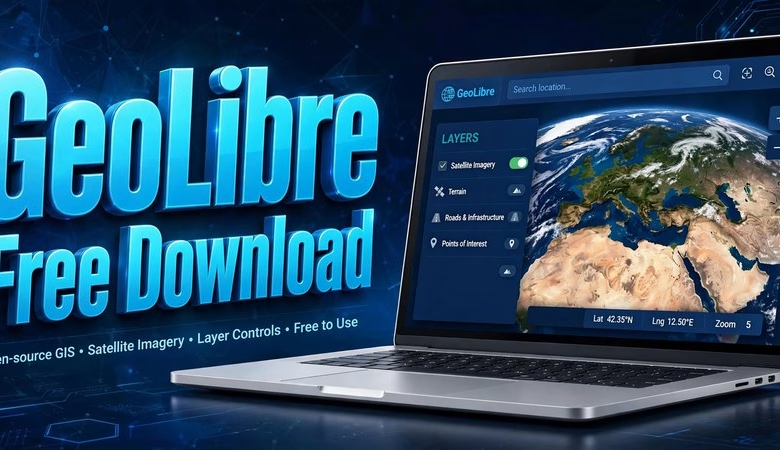
This GeoLibre free download guide introduces a brand-new, free and open-source GIS platform that runs in your web browser, on your desktop, and on your phone — with your data staying on your own machine. GeoLibre v3.4.0 is the latest release (October 2026) of the cloud-native GIS built by Qiusheng Wu, and it ships ArcGIS OAuth sign-in, WMS legends in the style panel, dark-mode fixes, and more. Below you will find what GeoLibre is, what’s new in v3.4.0, how to launch it (no install needed), desktop download steps, system requirements, and answers to the most common questions.
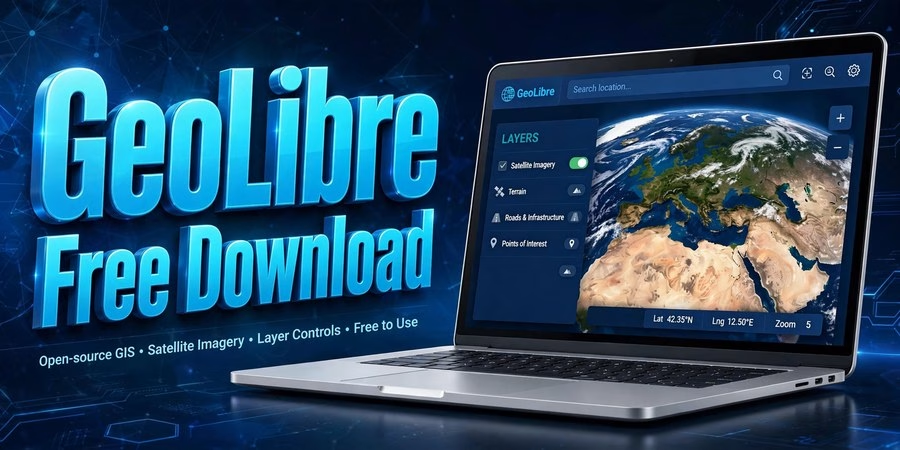
GeoLibre Free Download: A New Open-Source GIS That Lives in Your Browser
GeoLibre is a free, open-source, cloud-native GIS platform. The twist: you don’t have to install anything to use it. Open the web app in any modern browser and you get a full GIS with map layers, analysis tools, and a live-data gallery — and because the app is local-first, your data never leaves your computer. If you prefer a native app, desktop builds for Windows, macOS, and Linux ship from the same release, and GeoLibre also runs inside Jupyter notebooks. It is the fastest-moving new name in open-source GIS: three releases shipped in the nine days between v3.1.0 and v3.3.0, and v3.4.0 followed on October 11, 2026.
What makes GeoLibre different from QGIS
QGIS is a desktop application you install; GeoLibre starts in a browser tab. The v3.1.0 release introduced four switchable rendering engines in the View menu — MapLibre, Mapbox GL JS, Cesium, and ArcGIS Maps SDK — so the same project can render in 2D, in 3D with native ArcGIS services, or with PMTiles, Zarr, and NetCDF layers. A “God’s Eye View” live-data plugin streams earthquakes, satellite passes, wildfires, public transit, and ship positions onto the map. There is an AI Assistant with voice commands, an OpenRouter provider, and natural-language Whitebox tool search, plus new data plugins for Fields of the World boundaries, AlphaEarth satellite embeddings, and IGN LiDAR HD for France. The open-data gallery ships 100 interactive maps from NASA, NOAA, USGS, CDC, the World Bank, and more.
What’s new in GeoLibre v3.4.0
v3.4.0 (October 11, 2026) is a polish-and-power release on top of the v3.3.0 foundation (editable Identify results, S3 browser improvements, UTM grid zone fixes, chunked autosave):
- Sign in with ArcGIS. OAuth PKCE sign-in for secured ArcGIS services is now built in, so private portal layers just work.
- WMS legends in the Style panel. A WMS layer’s own legend now shows inside the Style panel for instant visual reference.
- Configurable WFS feature limits. Plugin users can tune the WFS feature limit instead of living with the default.
- Dark-mode fixes. The reverse-geocode popup stays readable in dark mode, and active map tool state is now exposed to plugins.
- New Image control. An Image control joined the Controls menu for quick image overlays.
- Smarter map behavior. The map zooms cleanly to bare vector-tile layers with trimmed tile-error diagnostics, and NASA OPERA demos 101–105 were added to the gallery.
- Database fixes. PostgreSQL and SQL Server are grouped under Databases in the browser; MSSQL edits write only changed columns and survive confirmed rollbacks; S3 browser and Street View API keys now persist across sessions.
How to launch GeoLibre (no install)
Open https://web.geolibre.app in Chrome, Edge, Firefox, or Safari. That’s it — the full GIS loads in the tab. Try the gallery first: pick any of the 100 open-data maps (NASA fire detections, USGS earthquakes) to see layers, legends, and popups working. Add your own data with the Add Data button: drag a GeoTIFF, Shapefile, GeoJSON, or CSV onto the map, or paste a web address for a cloud-optimized GeoTIFF, GeoParquet, or FlatGeobuf — cloud files stream by range, so even huge files open fast. Save your work as a project file and reopen it later from the same menu.
Launch GeoLibre Free in Your Browser
How to download GeoLibre desktop
Prefer a native app? The desktop edition (built on Tauri v2) is on the official GitHub releases page for the opengeos/GeoLibre repository. Grab the installer for your system: Windows (.exe/.msi), macOS (signed .dmg), or Linux (.deb/.rpm/AppImage). Run the installer, accept the defaults, and launch GeoLibre from your applications menu. The desktop app signs in to the same cloud services as the web app, so projects move between the two. Mobile builds and the Jupyter integration are documented at https://geolibre.app. Always download from the official GeoLibre site or the official GitHub releases — never from random mirror sites.
System requirements
| Requirement | Detail |
|---|---|
| Web app | Any modern browser (Chrome, Edge, Firefox, Safari); no installation, internet for first load |
| Desktop (Windows) | Windows 10/11 64-bit; installer (.exe/.msi) from GitHub releases |
| Desktop (macOS) | Signed .dmg; Apple Silicon and Intel supported |
| Desktop (Linux) | .deb, .rpm, or AppImage |
| Memory (RAM) | 4 GB minimum, 8 GB recommended for large raster/vector projects |
| Jupyter use | Python 3.9+ with the GeoLibre notebook integration (see official docs) |
The web app needs nothing installed at all — if your browser can run Google Maps, it can run GeoLibre. For heavy local analysis, the desktop build keeps everything on your machine.
GeoLibre Free Download FAQs
Is GeoLibre really free?
Yes. GeoLibre is free and open-source software maintained on GitHub by the opengeos organization. There is no paid edition and no feature paywall.
Do I need to install anything to use GeoLibre?
No. The web app at web.geolibre.app runs entirely in your browser. Install the desktop edition only if you want a native app or offline-heavy workflows.
What’s new in GeoLibre v3.4.0?
ArcGIS OAuth (PKCE) sign-in for secured services, WMS layer legends in the Style panel, a configurable WFS feature limit, dark-mode readability fixes, a new Image control, smarter vector-tile zoom, NASA OPERA demos in the gallery, and MSSQL/S3/Street View fixes.
Does GeoLibre replace QGIS?
Not exactly. QGIS remains the deepest desktop GIS. GeoLibre is the fastest way to do serious GIS in a browser tab, on a phone, or in a notebook — many users run both, with GeoLibre for quick sharing and cloud data.
Does my data leave my computer?
No. GeoLibre is local-first: your layers and projects stay on your machine (or in the storage you explicitly connect, like your own S3 bucket). The “cloud-native” label refers to streaming cloud data formats, not uploading yours.
Who makes GeoLibre?
Qiusheng Wu (@giswqs) and contributors under the opengeos GitHub organization. Development is public, and releases land on GitHub roughly weekly.
System requirements (GeoLibre): web app = any modern browser, no install | desktop = Windows 10/11, macOS, or Linux (Tauri v2 builds) | 4 GB RAM minimum (8 GB recommended) | Jupyter support via the official integration. GeoLibre is free from geolibre.app and the official GitHub releases.
Related posts: QGIS 4.2 Free Download · WhiteboxTools Free Download · Google Earth Pro Download
GeoLibre v3.4.0 is the clearest sign yet that serious GIS no longer requires a heavyweight install: four rendering engines, a live-data plugin, an AI assistant, and cloud-native data — all free, all in a browser tab. Launch it now, add one of your own datasets, and you’ll understand the excitement in about five minutes.
Disclosure: Some links on this page are affiliate links. If you buy a book through them, CartoGeek may earn a small commission at no extra cost to you. This helps keep our GIS guides free for students. Thank you for your support!
Recommended GIS Books
Learn QGIS: Techniques for Efficient Spatial Analysis (5th Edition)
by Eugenia Sarafova, Ivan Ivanov, Andrew Cutts, Anita Graser
The most current beginner-to-intermediate QGIS book, covering spatial analysis, cartography, field data collection and earth observation workflows with real-world examples. Written with input from Anita Graser, a well-known QGIS community figure, it walks readers from first install to confident analysis.
Pros:
- Up to date with recent QGIS versions
- Hands-on, exercise-driven teaching style
- Covers modern topics like GenAI tools and mobile data collection
Cons:
- Moves fast for absolute beginners with zero GIS background
- Some advanced chapters assume basic statistics knowledge

QGIS Quick Start Guide: A Beginner’s Guide to Getting Started with QGIS
by Andrew Cutts
A short, beginner-friendly entry point to QGIS that steps through loading data, creating vector layers, styling, labeling and building your first maps. Its narrative style builds confidence quickly for readers who want results in a weekend.
Pros:
- Short and approachable — no 800-page intimidation
- Clear step-by-step instructions
- Good first book before tackling heavier texts
Cons:
- Based on an older QGIS version, so some screenshots differ
- Light on advanced analysis topics
Learning Geospatial Analysis with Python (3rd Edition)
by Joel Lawhead
A systematic guide to GIS and remote sensing analysis with Python, covering geodatabases, raster data, PostGIS, QGIS integration and workflow automation. Readers build real analytical skills, from thematic mapping to flood modeling.
Pros:
- Bridges GIS and Python — the highest-demand skill combo
- Practical projects, not just theory
- Covers the open-source stack (GeoPandas-style workflows, PostGIS, QGIS)
Cons:
- Requires basic Python knowledge first
- Some library versions have moved on since publication