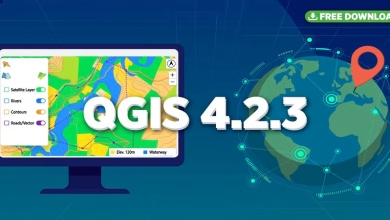
This QGIS 4.2 free download guide gets you from zero to your first map in one sitting. QGIS 4.2 is the latest release of the world’s most popular free, open-source GIS, rebuilt on the modern Qt6 framework.
Students use it to make professional maps, analyze satellite imagery, and process vector and raster data — with zero license fees. There is also fresh news: on October 3, 2026, the QGIS team announced that QGIS 4.2 will NOT become the long-term release — that honor now goes to QGIS 4.4.4, landing March 5, 2027.
This guide walks you through downloading QGIS 4.2, installing it on Windows, macOS, or Linux, and explains whether you should install 4.2 or stick with the stable 3.44 LTR. You need only the official installer and a few minutes.
⬇ Download QGIS 4.2 Free (Official Site)
QGIS 4.2 Free Download and Install Guide
What’s New in QGIS 4.2?
QGIS 4.2 builds on QGIS 4.0 “Norrköping” (February 2026), the release that migrated the entire codebase from Qt5 to Qt6. That migration brought over 100 new features: modernized rendering, high-DPI and multi-monitor improvements, an extensible welcome page, theming through the plugin API, and a redesigned Model Designer.
QGIS 4.2 adds performance optimizations, enhanced 3D capabilities, and new processing tools on top of that foundation. Point releases keep it polished — 4.2.2 arrived in July 2026 and 4.2.3 followed on October 2, 2026.
Notable new capabilities in the 4.x series include a 3D cross-section tool for slicing through complex 3D scenes and native Jupyter Notebook integration for Python data science inside QGIS.
System Requirements
| Component | Minimum | Recommended |
|---|---|---|
| OS | Windows 10/11 (64-bit), recent macOS, 64-bit Linux | Current 64-bit OS with latest updates |
| RAM | 4 GB | 8 GB+ for large rasters and 3D work |
| Disk | 2 GB free (installer ~600 MB) | 10 GB+ for project data |
| Graphics | OpenGL-capable GPU | Dedicated GPU for smooth 3D maps |
Qt6 means 64-bit operating systems only. There is no license, no serial key, and no admin-only step on any platform.
How to Install QGIS 4.2 (Step by Step)
- Go to qgis.org/download using the download button above. Never pay for a QGIS download — third-party sites that charge are scams.
- Pick the latest 4.2.x installer for your platform. On Windows, use the OSGeo4W network installer for the newest point release.
- Run the installer (about 600 MB). On Windows, the default Express Install options are correct for almost everyone.
- The installer sets up QGIS Desktop along with GRASS GIS and GDAL/OGR tools, which power many processing algorithms.
- Launch QGIS from the Start menu (or Applications on Mac). The welcome page appears on first launch.
- Click New Project, then set your coordinate reference system under Project > Properties > CRS.
- Add a free basemap: install the QuickMapServices plugin, then add an OpenStreetMap layer from the Web menu.
QGIS 4.2 or 3.44 LTR — Which Should You Install?
Here is the honest answer, updated with the October 3, 2026 announcement: QGIS 4.2 will NOT become a long-term release. Stability blockers pushed the LTR designation to QGIS 4.4.4, expected March 5, 2027.
Use QGIS 3.44 LTR for class assignments, thesis work, and anything a deadline depends on. Install QGIS 4.2 to learn the newest features, test plugins on Qt6, and explore the 3D and processing upgrades. You can install both side by side.
FAQs
Is QGIS 4.2 really free?
Yes. QGIS is free, open-source software (GPL license), always free from qgis.org. No paid version, no trial, no locked features.
Will QGIS 4.2 become the LTR?
No. On October 3, 2026 the QGIS project announced 4.2 will not get LTR status. QGIS 4.4.4 is scheduled as the first 4.x LTR on March 5, 2027.
Do my QGIS 3.x plugins work in 4.2?
Most popular plugins are updated for Qt6/PyQt6, but some older ones are not yet compatible. Check each plugin’s page for a 4.x version before relying on it.
Which version should students install?
QGIS 3.44 LTR for stable classwork. QGIS 4.2 to explore the latest tools and the Qt6 platform. Installing both is common.
Where is the official QGIS download?
Only from qgis.org/download. Avoid third-party portals — some bundle adware or charge for what is free.
Is QGIS 4.2 available for Mac and Linux?
Yes. Official macOS build (4.2.3 current), Linux via distro repositories, Flatpak on Flathub, and official Docker images.
Related Posts
- QGIS Download for Windows, MacOS and Linux
- Grass GIS Download for Windows and macOS
- What is PostGIS? GIS Extension for PostgreSQL
You downloaded QGIS 4.2 free from the official source, installed it on your platform, set up your first project with a basemap, and learned the one thing most download pages miss: the October 2026 LTR news that keeps your classwork on the stable 3.44 while you explore 4.2. That is the complete modern-QGIS setup — free tools, real data, and a map in your first sitting. Next, try the redesigned Model Designer, or load a free Sentinel-2 scene to put 4.2’s raster engine to work.
This post was last updated on October 11, 2026.
Disclosure: Some links on this page are affiliate links. If you buy a book through them, CartoGeek may earn a small commission at no extra cost to you. This helps keep our GIS guides free for students. Thank you for your support!
Recommended QGIS Books
Learn QGIS: Techniques for Efficient Spatial Analysis (5th Edition)
by Eugenia Sarafova, Ivan Ivanov, Andrew Cutts, Anita Graser
The most current beginner-to-intermediate QGIS book, covering spatial analysis, cartography, field data collection and earth observation workflows with real-world examples. Written with input from Anita Graser, a well-known QGIS community figure, it walks readers from first install to confident analysis.
Pros:
- Up to date with recent QGIS versions
- Hands-on, exercise-driven teaching style
- Covers modern topics like GenAI tools and mobile data collection
Cons:
- Moves fast for absolute beginners with zero GIS background
- Some advanced chapters assume basic statistics knowledge

QGIS Quick Start Guide: A Beginner’s Guide to Getting Started with QGIS
by Andrew Cutts
A short, beginner-friendly entry point to QGIS that steps through loading data, creating vector layers, styling, labeling and building your first maps. Its narrative style builds confidence quickly for readers who want results in a weekend.
Pros:
- Short and approachable — no 800-page intimidation
- Clear step-by-step instructions
- Good first book before tackling heavier texts
Cons:
- Based on an older QGIS version, so some screenshots differ
- Light on advanced analysis topics
Learning Geospatial Analysis with Python (3rd Edition)
by Joel Lawhead
A systematic guide to GIS and remote sensing analysis with Python, covering geodatabases, raster data, PostGIS, QGIS integration and workflow automation. Readers build real analytical skills, from thematic mapping to flood modeling.
Pros:
- Bridges GIS and Python — the highest-demand skill combo
- Practical projects, not just theory
- Covers the open-source stack (GeoPandas-style workflows, PostGIS, QGIS)
Cons:
- Requires basic Python knowledge first
- Some library versions have moved on since publication