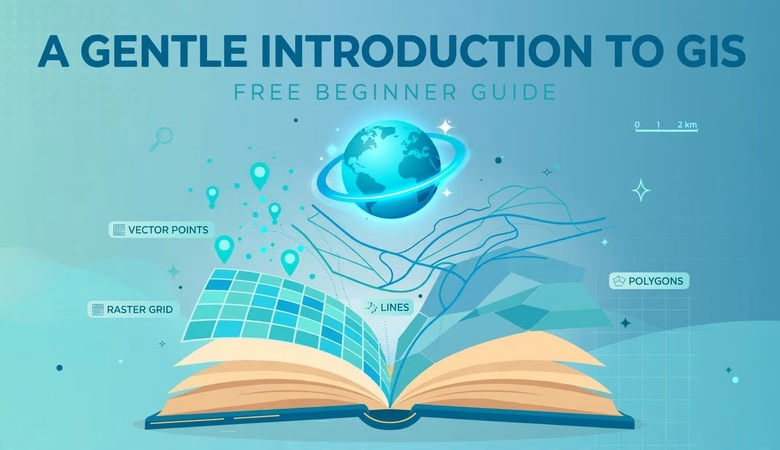
Looking for A Gentle Introduction to GIS — the official free beginner’s guide from the QGIS documentation project? You found it. First launched in 2008 and sponsored by the South African government, this completely free open-content resource has been used in university GIS courses around the world. It teaches GIS concepts without drowning you in jargon.
Every link on this page points to the official QGIS documentation at docs.qgis.org, verified live. No third-party PDF mirrors, no sign-ups, no paywalls.
What Is A Gentle Introduction to GIS?
A Gentle Introduction to GIS is a free, open-content learning resource written for people who want to learn GIS concepts. Unlike the QGIS Training Manual — which is a software tutorial — this guide is a generic GIS text. It explains the ideas first and uses QGIS only in the examples.
That makes it the perfect starting point. You learn what vector data is before you digitize it, and what a coordinate reference system does before you reproject it. The guide stays free forever under the GNU Free Documentation License.
Inside the guide: the 10 chapters
The guide currently ships with 10 core chapters. Here is the path most learners follow:
- Introducing GIS: what GIS is, what GIS software does, and how GIS data works
- Vector Data: points, polylines, polygons, layers, and symbology
- Vector Attribute Data: attribute tables, single and graduated symbols, unique values
- Data Capture: creating shapefiles, heads-up digitizing, common digitizing mistakes
- Raster Data: georeferencing, spatial and spectral resolution, raster-to-vector conversion
- Topology: topology errors, topology rules, snapping and search distances
- Coordinate Reference Systems: map projections, CRS families, UTM in detail
- Map Production: title, legend, north arrow, scale, graticule, projection name
- Vector Spatial Analysis: buffering and the main overlay tools
- Spatial Analysis (Interpolation): IDW, TIN, and other interpolation methods
Every chapter ends with “Now you try!” exercises and further reading links.
How to use the guide in 4 steps
Step 1 — Read the “Introducing GIS” chapter first. Open the guide at docs.qgis.org — A Gentle Introduction to GIS. The “latest” edition always tracks the current release.
Step 2 — Work the chapters in order. Each chapter builds on the last. Do the “Now you try!” sections instead of skipping them — that is where the concepts stick.
Step 3 — Pair it with hands-on practice. Install QGIS free with our QGIS 4.2 download guide and try each concept in the software. Then move to our QGIS beginner tutorial for guided steps.
Step 4 — Go deeper next. When concepts click, graduate to the QGIS Training Manual for the full hands-on course, and browse our free GIS books roundup for more reading.
Who should read this guide?
Students starting a GIS course, self-learners who want the concepts before the buttons, and professionals switching to GIS from another field. University lecturers also use it as assigned reading — SJSU’s urban planning syllabus lists the guide as required text.
Free PDF download
Prefer reading offline? The QGIS docs site publishes the guide as an official PDF — the edition for QGIS 3.28 is at docs.qgis.org — Gentle GIS Introduction PDF. The online “latest” edition updates first, so use the PDF for travel and the web version day to day.
Read A Gentle Introduction to GIS — Free
A Gentle Introduction to GIS FAQs
Is A Gentle Introduction to GIS really free?
Yes. It is a free open-content resource from the QGIS documentation project, licensed under the GNU Free Documentation License. No account, no payment, no trial.
Is this a QGIS software tutorial?
No. The guide is a generic GIS concepts text — vector data, raster data, projections, map production — with examples shown in QGIS. For the step-by-step software course, see the QGIS Training Manual.
Is there an official PDF version?
Yes. The QGIS docs site builds official PDFs per version, e.g. the QGIS 3.28 edition at docs.qgis.org. The online “latest” edition stays the freshest.
Who wrote this guide?
It was originally authored by Tim Sutton, Otto Dassau and Marcelle Sutton, sponsored by South Africa’s Department of Land Affairs, and is now maintained by the QGIS documentation community.
Do I need GIS software to read it?
No. The guide teaches concepts and you can read it cover to cover without installing anything. Installing free GIS software alongside it just makes the exercises richer.
How long does it take to read?
It is self-paced. A focused reader finishes the 10 chapters in a few weeks at an hour a day. Working the exercises roughly doubles the time but triples the retention.
Related posts: Free GIS Books (Official Sources) · QGIS Training Manual Free Download · QGIS Tutorial for Beginners · QGIS 4.2 Free Download
That is the complete guide to A Gentle Introduction to GIS: the official free 10-chapter resource, chapter-by-chapter breakdown, and a clear learning path from your first GIS concept to the full QGIS Training Manual. Read the online edition, work every “Now you try!” exercise, and pair it with free QGIS software. Bookmark this page — the guide grows with each QGIS release, and this guide will track the changes.
Disclosure: Some links on this page are affiliate links. If you buy a book through them, CartoGeek may earn a small commission at no extra cost to you. This helps keep our GIS guides free for students. Thank you for your support!
Recommended QGIS Books
Learn QGIS: Techniques for Efficient Spatial Analysis (5th Edition)
by Eugenia Sarafova, Ivan Ivanov, Andrew Cutts, Anita Graser
The most current beginner-to-intermediate QGIS book, covering spatial analysis, cartography, field data collection and earth observation workflows with real-world examples. Written with input from Anita Graser, a well-known QGIS community figure, it walks readers from first install to confident analysis.
Pros:
- Up to date with recent QGIS versions
- Hands-on, exercise-driven teaching style
- Covers modern topics like GenAI tools and mobile data collection
Cons:
- Moves fast for absolute beginners with zero GIS background
- Some advanced chapters assume basic statistics knowledge

QGIS Quick Start Guide: A Beginner’s Guide to Getting Started with QGIS
by Andrew Cutts
A short, beginner-friendly entry point to QGIS that steps through loading data, creating vector layers, styling, labeling and building your first maps. Its narrative style builds confidence quickly for readers who want results in a weekend.
Pros:
- Short and approachable — no 800-page intimidation
- Clear step-by-step instructions
- Good first book before tackling heavier texts
Cons:
- Based on an older QGIS version, so some screenshots differ
- Light on advanced analysis topics
Learning Geospatial Analysis with Python (3rd Edition)
by Joel Lawhead
A systematic guide to GIS and remote sensing analysis with Python, covering geodatabases, raster data, PostGIS, QGIS integration and workflow automation. Readers build real analytical skills, from thematic mapping to flood modeling.
Pros:
- Bridges GIS and Python — the highest-demand skill combo
- Practical projects, not just theory
- Covers the open-source stack (GeoPandas-style workflows, PostGIS, QGIS)
Cons:
- Requires basic Python knowledge first
- Some library versions have moved on since publication