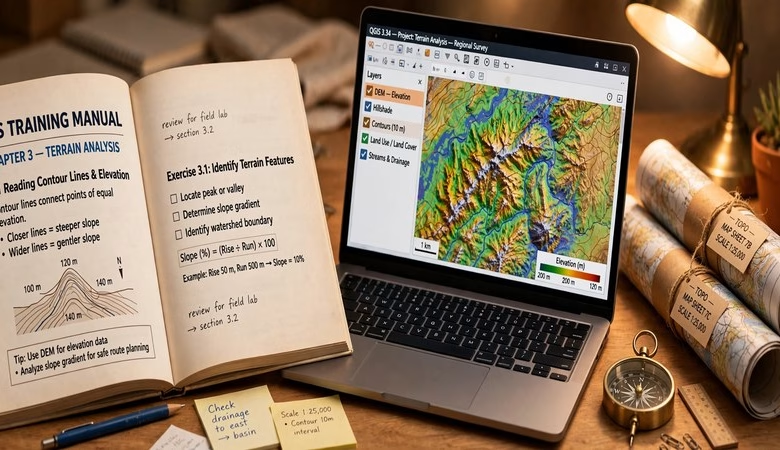
Looking for the QGIS Training Manual — the official free course that teaches QGIS from zero to advanced? You are in the right place. Written and maintained by the QGIS project itself, this free training manual walks you through 20 hands-on modules with real exercise data. It is the closest thing to a university QGIS course, and it costs nothing.
Every link on this page points to the official QGIS documentation at docs.qgis.org, verified live. No third-party PDF mirrors, no sign-ups, no paywalls.
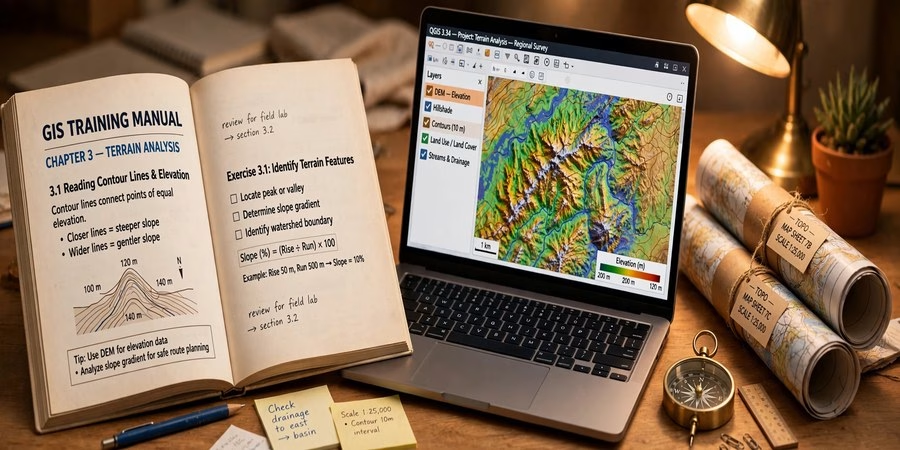
What Is the QGIS Training Manual?
The QGIS Training Manual is the official step-by-step course for learning QGIS. Unlike scattered tutorials, it is a structured curriculum: each lesson explains a concept, then has you do it with real data. You build maps, run analysis, and finish with a full project.
It is recommended by university GIS programs — Dartmouth’s geospatial learning hub lists it as their core QGIS training resource — and used by self-learners worldwide. If you are serious about learning QGIS free, start here.
Inside the manual: the 20 modules
The manual currently ships with 20 modules. The core path most learners follow:
- Modules 2–4: creating and exploring a basic map, classifying vector data, laying out print maps
- Modules 5–6: creating vector data (digitizing, topology, forms) and vector analysis
- Modules 7–8: working with rasters, terrain analysis, and a complete end-to-end analysis project
- Modules 9–12: plugins, web mapping services, QGIS Server, and GRASS GIS tools
- Module 13: a graded-style assessment to test your skills
- Module 14: a full forestry application — georeferencing, digitizing stands, DEM from LiDAR, atlas maps
- Modules 15–17: database concepts with PostgreSQL and PostGIS, used inside QGIS
- Module 18: the QGIS processing framework — batch processing, models, and automation
Each module ends with exercises, and the exercise datasets are free to download from the QGIS site.
How to use the manual in 5 steps
Step 1 — Install QGIS. Grab the free installer with our QGIS 4.2 free download guide. The manual works with any recent QGIS 3.x.
Step 2 — Open the manual online. Read it at docs.qgis.org — QGIS Training Manual. The “latest” edition always tracks the current stable release.
Step 3 — Download the exercise data. The manual links a training-data package. Extract it to a local folder (not a synced cloud drive) before starting Module 2.
Step 4 — Work the modules in order. Do every “Follow Along” and “Try Yourself” exercise. Skipping the exercises is the main reason people stall.
Step 5 — Finish the assessment and the forestry project. Modules 13 and 14 are portfolio-worthy. Save your final maps — they make strong GIS portfolio pieces.
Who is the manual for?
Students taking GIS courses, self-learners who want a free structured path, and ArcGIS users switching to QGIS — the concepts transfer directly. Pair it with our QGIS beginner tutorial for a faster first week.
QGIS Training Manual PDF download
Prefer reading offline? The QGIS docs site builds the training manual as a PDF for each released version — look for the PDF download option on the docs page. The online version stays the freshest, so use the PDF for travel and the web version day to day.
Open the Official QGIS Training Manual — Free
QGIS Training Manual FAQs
Is the QGIS Training Manual really free?
Yes. It is written by the QGIS project and free forever. No account, no payment, no trial period.
Do I need to install QGIS before starting?
Yes. The manual is hands-on — every lesson runs inside QGIS. Install it free first with our QGIS download guide.
Which QGIS version does the manual cover?
The “latest” manual tracks the current stable QGIS release. Versioned manuals for older releases stay available on docs.qgis.org.
Is there a PDF version of the training manual?
Yes. The docs site generates a PDF of the manual for each QGIS version. The online edition updates first, so check it for the newest lessons.
How long does it take to finish?
It is self-paced. The core modules (2–8) take a few weeks at a few hours per week. All 20 modules, including databases and the forestry project, are a full semester-scale course.
Can ArcGIS users switch to QGIS with this manual?
Yes. The manual teaches transferable GIS concepts — digitizing, overlay, raster analysis, map layout — so ArcGIS experience maps over quickly.
Related posts: Free GIS Books (Official Sources) · QGIS Tutorial for Beginners · QGIS 4.2 Free Download · Free GIS Software: 12 Tools for Students
That is the complete guide to the free QGIS Training Manual: the official 20-module course, real exercise data, and a path from your first map to portfolio-ready projects. Open the manual, install QGIS, and work every exercise in order. Bookmark this page — the manual grows with each QGIS release, and this guide will track the changes.
Disclosure: Some links on this page are affiliate links. If you buy a book through them, CartoGeek may earn a small commission at no extra cost to you. This helps keep our GIS guides free for students. Thank you for your support!
Recommended QGIS Books
Learn QGIS: Techniques for Efficient Spatial Analysis (5th Edition)
by Eugenia Sarafova, Ivan Ivanov, Andrew Cutts, Anita Graser
The most current beginner-to-intermediate QGIS book, covering spatial analysis, cartography, field data collection and earth observation workflows with real-world examples. Written with input from Anita Graser, a well-known QGIS community figure, it walks readers from first install to confident analysis.
Pros:
- Up to date with recent QGIS versions
- Hands-on, exercise-driven teaching style
- Covers modern topics like GenAI tools and mobile data collection
Cons:
- Moves fast for absolute beginners with zero GIS background
- Some advanced chapters assume basic statistics knowledge

QGIS Quick Start Guide: A Beginner’s Guide to Getting Started with QGIS
by Andrew Cutts
A short, beginner-friendly entry point to QGIS that steps through loading data, creating vector layers, styling, labeling and building your first maps. Its narrative style builds confidence quickly for readers who want results in a weekend.
Pros:
- Short and approachable — no 800-page intimidation
- Clear step-by-step instructions
- Good first book before tackling heavier texts
Cons:
- Based on an older QGIS version, so some screenshots differ
- Light on advanced analysis topics
Learning Geospatial Analysis with Python (3rd Edition)
by Joel Lawhead
A systematic guide to GIS and remote sensing analysis with Python, covering geodatabases, raster data, PostGIS, QGIS integration and workflow automation. Readers build real analytical skills, from thematic mapping to flood modeling.
Pros:
- Bridges GIS and Python — the highest-demand skill combo
- Practical projects, not just theory
- Covers the open-source stack (GeoPandas-style workflows, PostGIS, QGIS)
Cons:
- Requires basic Python knowledge first
- Some library versions have moved on since publication