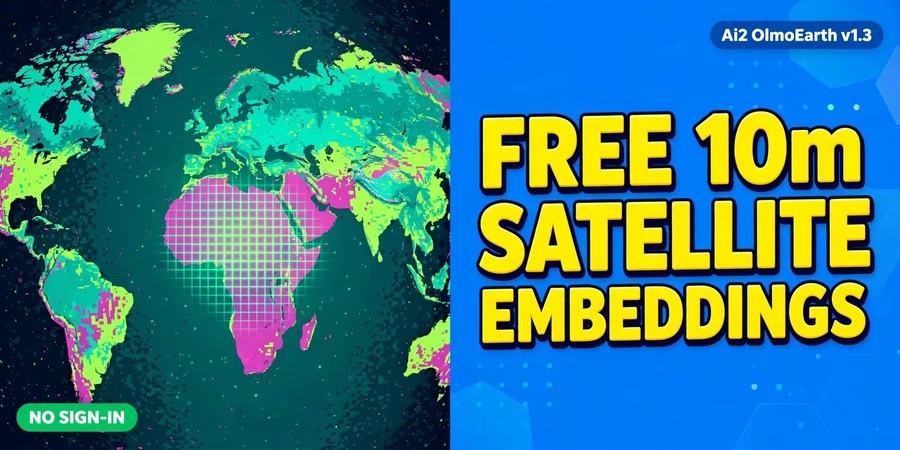
This OlmoEarth v1.3 free satellite embeddings guide covers the biggest open Earth-observation release of October 2026: the Allen Institute for AI (Ai2) has precomputed annual satellite embeddings for the whole planet at 10-meter resolution — and shared them free, with no sign-in. Until now, using OlmoEarth meant fine-tuning a model on GPUs over raw satellite imagery. With v1.3, the hard part is already done: every 10-meter patch of Earth is summarized as a 128-number vector, ready to power land-cover maps, crop maps, and change detection from an ordinary laptop. Below you will find exactly what is inside the release, who it is for, how to explore it in the browser with no account, and how to use the data in Python.
OlmoEarth v1.3 Satellite Embeddings: What’s Inside
An embedding is a numerical summary of what a model learned from millions of images. OlmoEarth v1.3 reads a full year of radar (Sentinel-1) and multispectral (Sentinel-2 and Landsat) satellite time series and produces one 128-dimensional vector for every 10-meter pixel on Earth. The first 64 dimensions also work on their own as a smaller, lighter embedding that uses half the storage. Ai2’s vision transformer reads the satellite data, an Attention Pooler pools it into one vector per patch of land, and a linear layer reduces it to 128 numbers.
What the release actually includes
The v1.3 release ships four things: the OlmoEarth v1.3 Base model (a 128-million-parameter vision transformer for remote sensing), the precomputed global embeddings in 128- and 64-dimensional versions, the browser-based OlmoEarth Embeddings Explorer, and a full technical report. The model, embeddings, and Explorer all sit under the OlmoEarth Artifact License used for v1 and v1.2 — note that the license restricts use for military, defense-related, and extractive-industry applications.
Coverage and size — the honest numbers
Annual embeddings for 2023, 2024, and 2025 are global, while 2017 through 2022 cover selected countries, with more coverage in progress. The archive runs from 59.5 degrees south to 83.6 degrees north and excludes Antarctica. Each year of embeddings is roughly 150 TB, and the full 2017-to-2025 dataset is well over a petabyte — so nobody downloads “the whole planet” to a laptop. Instead, the embeddings live on Source Cooperative as a Zarr store you read directly from object storage with any Zarr client, with no API key or tile server required. Open provenance tables in GeoParquet list the Sentinel-1, Sentinel-2, and Landsat scenes behind each 20-kilometer tile and year.
Why this matters: compute once, reuse everywhere
Foundation models and global embeddings are expensive to produce — Ai2 estimates one year of global embeddings at about 14,000 H100 GPU hours, roughly 26 times the pretraining cost of the model itself. By precomputing them, Ai2 turns crop mapping, land-cover mapping, and change analysis into a lightweight problem: train a small classifier on top of the embeddings and run it locally. Ai2 reports the 128-dimensional embeddings scored highest on 20 of 27 evaluations against AlphaEarth Foundations and Tessera v2, and the 64-dimensional version led on 18 of 27. The release also introduces PLANTEUR, a crop-type benchmark for tropical farming built from labels in Overseas France.
Who this dataset is for
GIS analysts and remote sensing students who want satellite-AI results without GPU access; Python developers building land-cover, crop, or change-detection tools with NumPy, scikit-learn, Rasterio, and GeoPandas; researchers comparing places or tracking change over time; and anyone curious about GeoAI who wants to try a state-of-the-art Earth-observation model without installing anything — the Explorer needs no account at all.
How to explore it free in the browser (no sign-in)
1. Open the OlmoEarth Embeddings Explorer (linked below). 2. Pan the false-color world map and flip between years. 3. Click any location to pull up the underlying Sentinel-2 imagery and find similar places. 4. Drop a handful of labeled points to train a small classifier right in the browser, then export the result as a GeoTIFF. 5. Want code instead? The Explorer can export your analysis as a Python script. Ai2’s own demo tracks illegal gold mining in Peru’s Madre de Dios region, comparing 2017–2020 against 2020–2025 embeddings to show how the mining zone spread and kept changing.
How to use the embeddings in Python
Read the Zarr store from Source Cooperative with any Zarr client — no API key needed. Load a tile, attach your own labels, and train a small classifier with scikit-learn on top of the embeddings; the geoMusings walkthrough shows exactly this workflow on St. Mary’s County, Maryland: finding similar places, training a small land-cover classifier, and flagging change between 2023 and 2025. Ai2 also publishes the OlmoEarth pretraining dataset and training code, so researchers can inspect the observations and sampling choices behind the model. If you need a specific time window instead of the annual embeddings, OlmoEarth Studio runs the same model over your chosen dates, modalities, and resolution.
Frequently asked questions
Is OlmoEarth v1.3 really free?
Yes. The model, the precomputed embeddings, and the browser Explorer are all free to use under the OlmoEarth Artifact License, with no sign-in required for the Explorer and no API key needed to read the Zarr store. Note the license restricts military, defense-related, and extractive-industry uses.
What is a satellite embedding, in plain words?
A short list of numbers (128, or 64 in the light version) that summarizes a year of satellite observations for one 10-meter patch of ground. Similar places get similar numbers, so a computer can find similar land, spot change, or classify land cover from the numbers alone — without re-processing raw imagery.
How big is the download?
Huge if you wanted everything: about 150 TB per year, over a petabyte for 2017–2025. In practice you stream only the tiles you need from Source Cooperative with a Zarr client, or you use the browser Explorer and export just your result as a GeoTIFF.
Do I need a GPU or GIS software to try it?
No. The Explorer runs entirely in the browser with no account. For Python work, an ordinary laptop is enough — the geoMusings walkthrough runs the full workflow (similar-place search, a small classifier, change flagging) on a laptop with NumPy, scikit-learn, Rasterio, and GeoPandas.
Which years and satellites are covered?
2023, 2024, and 2025 are global; 2017–2022 cover selected countries. The inputs are Sentinel-1 radar plus Sentinel-2 and Landsat multispectral imagery, from 59.5°S to 83.6°N, excluding Antarctica.
Can I use it for commercial projects?
The OlmoEarth Artifact License allows broad reuse but explicitly restricts military, defense-related, and extractive-industry applications. Check the license on the model card before building a commercial product on it.
OlmoEarth v1.3 is the rare AI release that lowers the bar instead of raising it: a year of satellite imagery for the entire planet, already distilled into ready-to-use numbers, free, with a browser tool anyone can open. Whether you are mapping crops, tracking deforestation, or just learning GeoAI, open the Explorer today and click on a place you know — the change between 2023 and 2025 might surprise you.
Related posts: Free GIS Software · QGIS 4.2 Free Download · 7 Free Climate Data Sources for Researchers
Disclosure: Some links on this page are affiliate links. If you buy a book through them, CartoGeek may earn a small commission at no extra cost to you. This helps keep our GIS guides free for students. Thank you for your support!
Recommended GIS Learning Books
Learn QGIS: Techniques for Efficient Spatial Analysis (5th Edition)
by Eugenia Sarafova, Ivan Ivanov, Andrew Cutts, Anita Graser
The most current beginner-to-intermediate QGIS book, covering spatial analysis, cartography, field data collection and earth observation workflows with real-world examples. Written with input from Anita Graser, a well-known QGIS community figure, it walks readers from first install to confident analysis.
Pros:
- Up to date with recent QGIS versions
- Hands-on, exercise-driven teaching style
- Covers modern topics like GenAI tools and mobile data collection
Cons:
- Moves fast for absolute beginners with zero GIS background
- Some advanced chapters assume basic statistics knowledge
GIS Tutorial for ArcGIS Pro 3.4 (Esri Press)
by Wilpen L. Gorr, Kristen S. Kurland
A classroom-tested ArcGIS Pro workbook by two Carnegie Mellon instructors, with hands-on exercises and homework assignments that build real problem-solving skills. Written for both university courses and self-learners who want a rigorous primer.
Pros:
- Academic rigor — used in real university curricula
- Exercises reinforce each concept
- Instructor resources available for teachers
Cons:
- Denser and more demanding than casual guides
- Best paired with an instructor or study group
Learning Geospatial Analysis with Python (3rd Edition)
by Joel Lawhead
A systematic guide to GIS and remote sensing analysis with Python, covering geodatabases, raster data, PostGIS, QGIS integration and workflow automation. Readers build real analytical skills, from thematic mapping to flood modeling.
Pros:
- Bridges GIS and Python — the highest-demand skill combo
- Practical projects, not just theory
- Covers the open-source stack (GeoPandas-style workflows, PostGIS, QGIS)
Cons:
- Requires basic Python knowledge first
- Some library versions have moved on since publication