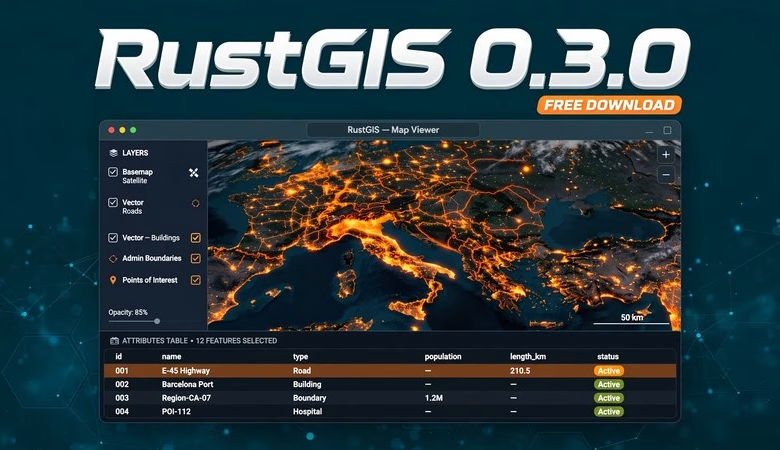
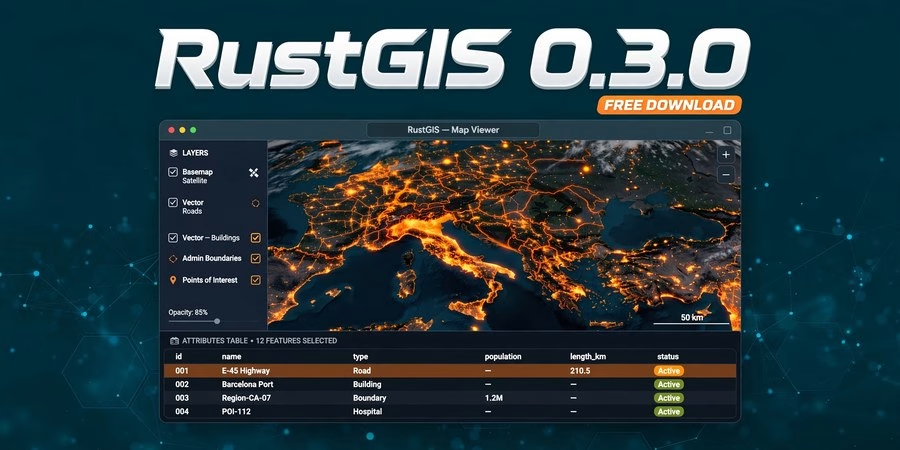
This RustGIS 0.3.0 download guide gets you the newest release of the fastest-rising free GIS tool of 2026. RustGIS is a free, open-source desktop and browser GIS written in pure Rust by Qiusheng Wu (the developer behind geemap and leafmap). Version 0.3.0, released October 2026, turns it into an open-data powerhouse: built-in search across STAC catalogs, Overture Maps, OpenStreetMap and open-data portals, a beta GPU rendering engine, a new Python package for Jupyter, and a globe view. Below you will find what’s new in 0.3.0, step-by-step install instructions for Windows, macOS and Linux, system requirements, and answers to the most common questions.
RustGIS 0.3.0 Download: What’s New in This Release
RustGIS 0.3.0 is a feature-packed release. If you tried the first v0.1.0/v0.2.0 builds, this is the version where the project grows up: open data is built straight into the app, the map gets dramatically faster, and the new rustgis Python package brings the whole engine into Jupyter notebooks. Everything is still free and open source (Apache-2.0 license) — no paid edition, no license keys.
Open data, built in
The headline feature: search the world’s open data without leaving the app. RustGIS 0.3.0 can search STAC catalogs (including Microsoft Planetary Computer assets), Overture Maps, Source Cooperative, OpenStreetMap by area via Overpass, geoBoundaries, and the CKAN (data.gov), Socrata and ArcGIS Hub open-data portals. You can also browse S3 buckets with signed connections and geocode places and address tables. A new Data Sources pane keeps your favourites, recent sources, saved services and a library.
Cloud-native data by address
Add GeoJSON, CSV, GeoParquet, FlatGeobuf and cloud-optimised GeoTIFFs (COGs) by their web address. GeoParquet, FlatGeobuf and COGs are read in place by range request, large GeoJSON and Shapefiles stream a view at a time, and the web app opens large local GeoTIFFs piece by piece — you no longer need to download multi-gigabyte files to use them.
More formats and services
PostGIS tables now read live through a pure-Rust client. DXF drawings, GML, MapInfo MIF/MID, OSM PBF, TopoJSON, LiDAR point clouds (LAS, LAZ, COPC), MBTiles, spreadsheets, geotagged photos and KML ground overlays open natively; JPEG 2000, NetCDF, HDF and more work through GDAL. For services: WMS, WMTS, WFS, WCS, OGC API Features and Tiles, ArcGIS REST and CSW catalogue search. A new SQL pane gives you a DuckDB Spatial workspace.
A faster, livelier map
A GPU rendering backend (beta) delivers smooth zoom and pan between redraws, and a globe mode drapes your flat map over a sphere with a starry sky. There is a new search box for layers, places and coordinates, OpenFreeMap and USGS Imagery basemaps, features cut cleanly along the edge of world projections, and layers you reorder by dragging.
Python package and process plugins
The rustgis Python package on PyPI runs the engine in-process and puts the app in a Jupyter notebook with rustgis.Map. Process plugins run as programs on your computer, with Python environments RustGIS creates for them, in the background with progress and Cancel.
AI Assistant and cartography
The AI Assistant can use your ChatGPT plan by signing in, and external AI clients can drive the app through the agent skill and loopback relay. For map-making: custom colour ramps with QGIS, GDAL and GMT palette import, legends that list what the frame draws, rename/duplicate/close of maps and layouts from tabs, and a web app that installs as a PWA with offline start and opens projects and data from a link. Georgian joins the interface languages.
How to download and install RustGIS 0.3.0 on Windows
Go to https://downloads.rustgis.app and pick the Windows build (setup.exe installer, .msi, or portable zip — see the installation page at rustgis.app/installation for which file to pick). Run the installer, launch RustGIS from the Start menu, and use Help > Check for Updates to stay current.
How to install RustGIS 0.3.0 on macOS and Linux
Download the signed macOS DMG, or the Linux .deb / .rpm / AppImage from the same downloads page. You can also install with your package manager: Homebrew, the AUR, Fedora COPR, or winget on Windows. Or skip installing entirely and open https://web.rustgis.app — the full web app runs in your browser.
System requirements (RustGIS 0.3.0)
Windows 10/11 (64-bit) | macOS (signed DMG, Apple Silicon and Intel) | Linux (.deb, .rpm, AppImage) | modern web browser for the web app. RustGIS is a compiled Rust binary with no heavy runtime dependencies; the GPU rendering backend is beta and works best on a reasonably modern graphics card. The project does not publish formal minimum RAM/disk specs — any machine that comfortably runs QGIS will run RustGIS.
RustGIS 0.3.0 Free Download FAQs
Is RustGIS really free?
Yes. RustGIS is free and open-source software under the Apache-2.0 license, maintained publicly on GitHub by Qiusheng Wu. There is no paid tier and no feature locked behind a license.
What’s new in RustGIS 0.3.0?
Built-in open-data search (STAC, Overture Maps, OpenStreetMap, data.gov, ArcGIS Hub), cloud-native data by web address, a beta GPU renderer, a globe view, a rustgis Python package for Jupyter, PostGIS live connections, an AI assistant, and PWA offline support for the web app.
How is RustGIS different from QGIS?
RustGIS is written in pure Rust, so it starts fast and uses memory efficiently. It leans modern: cloud-native formats by URL, GPU rendering, a built-in open-data search, and an MCP server so AI coding agents can drive it. QGIS remains the deeper, plugin-rich veteran; RustGIS is the fast newcomer worth watching.
Which formats can RustGIS 0.3.0 open?
GeoJSON, CSV, Shapefile (incl. zipped), GeoTIFF/COG, GeoPackage, GeoParquet, FlatGeobuf, KML/KMZ, GPX, PMTiles, DXF, GML, OSM PBF, TopoJSON, LAS/LAZ/COPC LiDAR, MBTiles, spreadsheets, geotagged photos, plus GDAL formats (JPEG 2000, NetCDF, HDF, File Geodatabase) and OGC web services.
Can I use RustGIS without installing anything?
Yes — open https://web.rustgis.app in your browser. It reads the same formats (GeoPackages through a pure-Rust SQLite reader, PMTiles by web address) and can install as an app with offline start.
Where do I download RustGIS 0.3.0?
From the official downloads page https://downloads.rustgis.app (all platforms) or the GitHub releases page of opengeos/RustGIS. Check the installation guide at rustgis.app/installation to pick the right file for your system.
Related posts: QGIS 4.2.3 Free Download · WhiteboxTools Free Download · QGIS Tutorial for Beginners
RustGIS 0.3.0 is the release that puts this young GIS on the map: open data one search away, cloud-native workflows, a faster GPU-driven canvas, and a Python bridge into Jupyter — all free and open source. Download it from the official page, try the web app first if you are curious, and keep an eye on this one: it is moving fast.
Disclosure: Some links on this page are affiliate links. If you buy a book through them, CartoGeek may earn a small commission at no extra cost to you. This helps keep our GIS guides free for students. Thank you for your support!
Recommended GIS Books
Learn QGIS: Techniques for Efficient Spatial Analysis (5th Edition)
by Eugenia Sarafova, Ivan Ivanov, Andrew Cutts, Anita Graser
The most current beginner-to-intermediate QGIS book, covering spatial analysis, cartography, field data collection and earth observation workflows with real-world examples. Written with input from Anita Graser, a well-known QGIS community figure, it walks readers from first install to confident analysis.
Pros:
- Up to date with recent QGIS versions
- Hands-on, exercise-driven teaching style
- Covers modern topics like GenAI tools and mobile data collection
Cons:
- Moves fast for absolute beginners with zero GIS background
- Some advanced chapters assume basic statistics knowledge

QGIS Quick Start Guide: A Beginner’s Guide to Getting Started with QGIS
by Andrew Cutts
A short, beginner-friendly entry point to QGIS that steps through loading data, creating vector layers, styling, labeling and building your first maps. Its narrative style builds confidence quickly for readers who want results in a weekend.
Pros:
- Short and approachable — no 800-page intimidation
- Clear step-by-step instructions
- Good first book before tackling heavier texts
Cons:
- Based on an older QGIS version, so some screenshots differ
- Light on advanced analysis topics
Learning Geospatial Analysis with Python (3rd Edition)
by Joel Lawhead
A systematic guide to GIS and remote sensing analysis with Python, covering geodatabases, raster data, PostGIS, QGIS integration and workflow automation. Readers build real analytical skills, from thematic mapping to flood modeling.
Pros:
- Bridges GIS and Python — the highest-demand skill combo
- Practical projects, not just theory
- Covers the open-source stack (GeoPandas-style workflows, PostGIS, QGIS)
Cons:
- Requires basic Python knowledge first
- Some library versions have moved on since publication