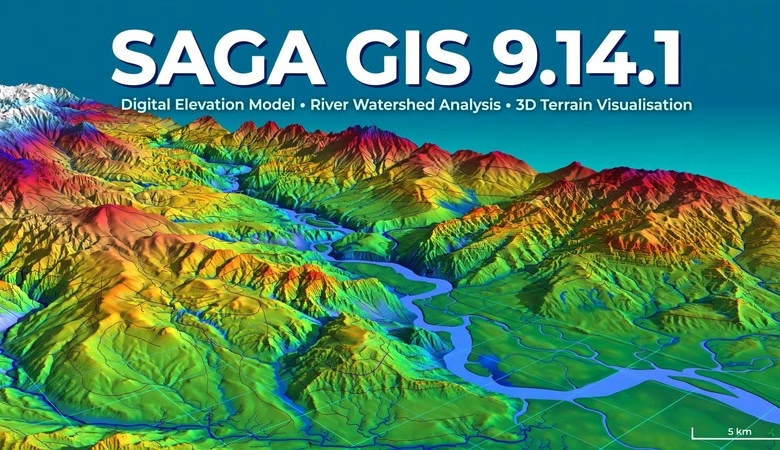
This SAGA GIS 9.14.1 free download guide gets you the newest release of the free, open-source GIS built for geoscientific work. SAGA GIS (System for Automated Geoscientific Analyses) is famous for one thing: terrain analysis from digital elevation models — slope, aspect, hillshade, watersheds, and flood modeling with zero license fees. Version 9.14.1 is a bug-fix release that follows the 9.14.0 release from October 2026, and it polishes the parts you touch every day: resizing a map window is now much faster, GDAL raster imports are fixed, and the macOS app bundle gets a real fix. Below you will find what’s new, step-by-step install instructions for Windows, Linux and macOS, system requirements, and answers to the most common questions.
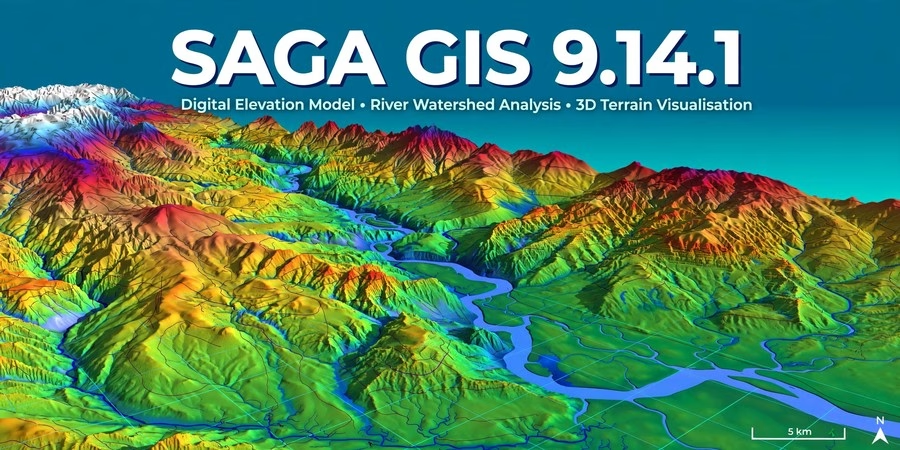
SAGA GIS 9.14.1 Download: What’s New in This Release
SAGA 9.14.1 is a focused bug-fix release, announced on the official SAGA news page. No new modules, no interface overhaul — just fixes and one welcome performance gain, taken straight from the official changelog. Here is what changed.
Faster map resizing — no more full refresh on every resize
The headline improvement in 9.14.1 is in the map view: when you resize a map window, SAGA no longer refreshes the whole map content — it simply redraws the bitmap. If you work with large DEMs or many map layers open, dragging a window corner used to trigger expensive redraws; now resizing feels instant. For day-to-day terrain work, this is the fix you will actually feel.
GDAL raster import fix — and a long-standing import request addressed
The GDAL import tool had an unused non-GUI “SUBSETS” option that has now been fixed, and the same change addresses feature request #95: importing raster files with select/unselect-all control. If you regularly pull multi-band or multi-subdataset rasters into SAGA, imports are now cleaner and behave the way the request asked for.
macOS app bundle fix
On macOS, the app bundle’s saga_gdi library could load a different saga_api instance than the rest of the application — a subtle mismatch that caused confusing behavior. 9.14.1 fixes that loading problem, so the macOS bundle now runs on one consistent API instance.
The rest of the changelog is small but real: point cloud objects now get their name set correctly in the Assign function, the STAC tool’s default menu path is fixed (“Stac” > “STAC”), tool-description parameter output is now GUI-only, and the Windows helper scripts are updated for Python 3.15. If you script SAGA with PySAGA on a current Python install, the 3.15 update matters.
How to download and install SAGA GIS 9.14.1 on Windows
The easiest path on Windows is the portable zip from the official SourceForge files page — SAGA needs no installer. Go to the official download site, open the Files section, and download the saga-x64 zip for the 9.14.1 release. Unzip the folder anywhere, open it, and double-click saga_gui.exe. That is the whole installation — no admin rights needed, and it even runs from a USB drive.
How to install SAGA GIS 9.14.1 on Linux and macOS
On Ubuntu or Debian, install from your distribution’s repository or grab the build for your distro from the SourceForge Files page. A linux tarball is published for each release. macOS users can download the macOS app bundle from the same Files page — and 9.14.1’s bundle fix makes this the release to get on a Mac. After launching, run saga_gui or open it from your app menu to verify it starts.
System requirements
| Requirement | Detail |
|---|---|
| Operating system | 64-bit Windows 10/11, Ubuntu 20.04+ or other recent Linux, macOS (bundle available) |
| Disk space | ~300 MB for the program, 2 GB+ free for DEMs and outputs |
| Memory (RAM) | 2 GB minimum, 8 GB or more for large LiDAR and DEM datasets |
| Processor | Any dual-core; quad-core speeds up module runs |
| Programming (optional) | Python 3 (helper scripts updated for Python 3.15) for PySAGA |
Frequently asked questions
Is SAGA GIS 9.14.1 really free?
Yes. SAGA GIS is fully open-source under the GPL. There is no paid version, no trial, and no locked features — 9.14.1 costs nothing for students, researchers, or businesses.
What is new in SAGA GIS 9.14.1?
It is a bug-fix release: map windows now resize much faster (bitmap redraw instead of a full refresh), the GDAL raster import is fixed, the macOS app bundle loading problem is fixed, and the Windows scripts are updated for Python 3.15.
Should I upgrade from SAGA GIS 9.14.0?
Yes — 9.14.1 is a direct patch on top of 9.14.0 with no breaking changes. If you resize map windows often, import rasters through GDAL, or run SAGA on macOS, the upgrade pays off immediately.
Do I need to install SAGA GIS?
Not on Windows — it is portable. Unzip the x64 folder and run saga_gui.exe. Linux users install it from their distro’s repository or the SourceForge files page.
Can I use SAGA GIS with QGIS?
Yes. QGIS includes SAGA algorithms in its Processing Toolbox, and both read the same GeoTIFF, shapefile, and grid formats. Many students preprocess terrain in SAGA and make final layouts in QGIS.
What is SAGA GIS used for?
Terrain analysis is its strength: slope, aspect, hillshade, watersheds, and flood or erosion modeling from elevation data. It also covers geostatistics, image analysis, and general geoprocessing — over 450 modules.
SAGA GIS 9.14.1 is a small release with an outsized everyday payoff: map windows that resize without stuttering, cleaner GDAL imports, and a macOS bundle that finally behaves. It installs in minutes on Windows, Linux and macOS, and it costs nothing. If you already run 9.14.0, this is a five-minute upgrade worth making today.
Related posts: SAGA GIS 9.14.0 Free Download · GRASS GIS Software Download · QGIS Download for Windows, MacOS and Linux
Disclosure: Some links on this page are affiliate links. If you buy a book through them, CartoGeek may earn a small commission at no extra cost to you. This helps keep our GIS guides free for students. Thank you for your support!
Recommended GIS Books
Learn QGIS: Techniques for Efficient Spatial Analysis (5th Edition)
by Eugenia Sarafova, Ivan Ivanov, Andrew Cutts, Anita Graser
The most current beginner-to-intermediate QGIS book, covering spatial analysis, cartography, field data collection and earth observation workflows with real-world examples. Written with input from Anita Graser, a well-known QGIS community figure, it walks readers from first install to confident analysis.
Pros:
- Up to date with recent QGIS versions
- Hands-on, exercise-driven teaching style
- Covers modern topics like GenAI tools and mobile data collection
Cons:
- Moves fast for absolute beginners with zero GIS background
- Some advanced chapters assume basic statistics knowledge