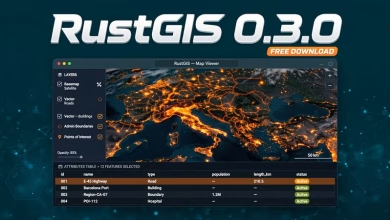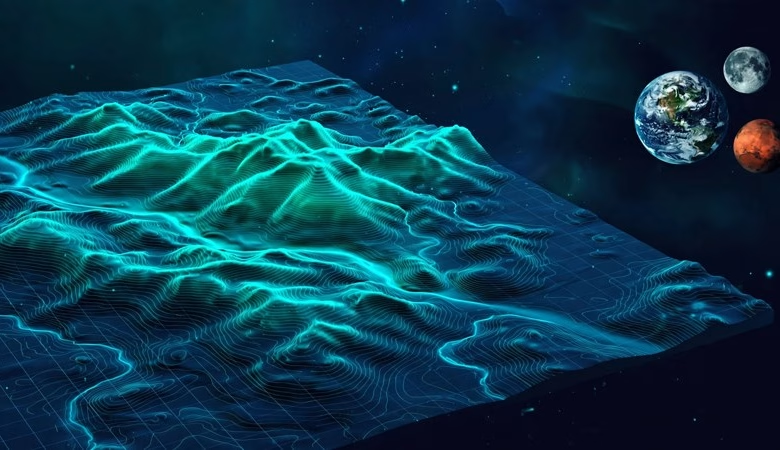
This RustGIS 0.4.0 free download guide covers the newest release of RustGIS — a free, open-source desktop GIS built in Rust, from the developer behind the opengeos ecosystem. Version 0.4.0 shipped on October 25, 2026, just nine days after 0.3.0, and it tilts the whole app into 3D: rotate the map to a bearing, tilt it to a pitch, drape it over terrain and stand extrusions up on the GPU — or switch the globe to the Moon and Mars. It also reads Esri File Geodatabases without GDAL, queries MySQL, MariaDB and SQL Server tables live, and adds vertex editing, spatial join, zonal statistics, kriging and data-cube trend mapping, plus label classes, curved line labels, publication layouts and SVG export. Below you will find every headline change in this release, how to download and install it on Windows, macOS and Linux, the system requirements, and answers to the most common questions.
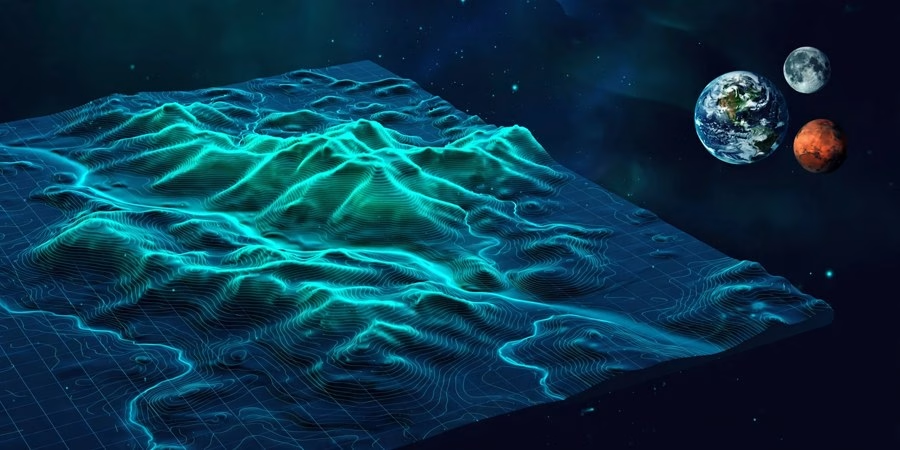
RustGIS 0.4.0 Download: What’s New in This Release
RustGIS 0.4.0 is published on the official opengeos/RustGIS GitHub releases page. The headline theme is depth — a map you can turn and tilt, data from more places, and cartography and analysis with more depth behind them.
A map you can turn and tilt
Rotate the flat map to any bearing and tilt it to a pitch, drape it over terrain, and stand extrusions and point markers upright on the GPU; the globe turns and tilts the same way, and map frames inside layouts turn and tilt too. Switch between the Earth, the Moon, Mars and other celestial bodies, each with its own basemaps. Tilted maps now draw on the GPU, so a settled tilted view renders off the UI thread and stays smooth.
More data, from more places
Esri File Geodatabases now open without GDAL, and MySQL, MariaDB, SQL Server and Azure SQL tables can be queried live. QGIS projects open as maps with their layer styles applied, scans without coordinates can be georeferenced, and you can now write cloud-optimised GeoTIFFs. Reusable connections remember their passwords and keys in the OS keychain, and a new Web Data pane lists public catalogs such as NASA Earthdata, FEMA, The National Map, NASA GIBS, Natural Earth, Hugging Face and satellite embeddings.
Time and data cubes
A time slider now covers layers, dated imagery, Zarr variables and STAC bands. Chart a point’s time series, summarise a cube by year or month, and map trends cell by cell with Sen’s slope and the Mann-Kendall test — a full trend-analysis workflow inside the app, not a plugin.
Editing and analysis
Move, insert and delete vertices directly on the map with snapping. Analysis adds spatial join, zonal statistics, IDW and ordinary kriging, geodesic buffers, A5 equal-area grids, Calculate Geometry in metric or imperial units, and polygon, lasso and radius selection on the map. Plan routes and follow them turn by turn. ModelBuilder is rebuilt as a node canvas, the Script pane now completes commands, parameters, layers and fields as you type, and any geoprocessing run can be copied as Python.
Cartography and labels
A new Labeling pane offers label classes chosen by SQL queries, labels that follow lines straight or curved, and labels drawn in any installed font family. New classification methods arrive — geometric interval, standard deviation and manual breaks — alongside stacked and dashed line strokes drawn in symbol levels, reference scales, layer groups, blend modes, scientific colour ramps and raster colour bars.
Layouts, AI agents and languages
Build a publication sheet or figure, with its locator and surrounds, in one command; edit elements in a Format pane with shapes, arrows, rulers, guides, snapping and element locking; style grids, north arrows and scale bars; and export the layout to SVG. The AI Assistant gains skills and subagents and can drive agents on your computer through ACP, while external agents connect over MCP on HTTP or a file bridge, with an audit log, their own undo and a snapshot of the map as you see it. Plugins can now add panels of widgets and read small documents from the web. Persian and Bengali join the interface languages, for 18 in all.
How to download and install RustGIS 0.4.0 on Windows
On Windows 10 and 11, the easiest install is from the Microsoft Store, which signs the app and keeps it up to date. From the official release page you can also take the setup.exe installer (no admin rights needed, installs to your account), the MSI installer (all users, good for managed deployment), the portable ZIP (unzip and run rustgis.exe, no install), or the MSIX package. As with 0.3.0, the Windows builds outside the Store are not yet signed, so choose More info > Run anyway if SmartScreen warns about an unknown publisher. Winget users run winget install OpenGeos.RustGIS.
How to install RustGIS 0.4.0 on macOS and Linux
macOS users download the DMG for Apple Silicon or Intel — signed with a Developer ID and notarized by Apple, so it opens without a warning — or install with Homebrew (brew install --cask opengeos/rustgis/rustgis). The command-line tool is a separate rustgis-cli tarball on macOS. Linux users choose by distro: DEB for Debian/Ubuntu, RPM for Fedora/RHEL/openSUSE, the portable AppImage for any distribution (download, make executable, run), or the tarball. Arch users get rustgis-bin from the AUR, Fedora users have a COPR. The same files, grouped by platform, are also mirrored at downloads.rustgis.app. Note: at staging time the release page’s binary attachments were still building — check the release page at publish time for the final file list.
Try it in the browser
RustGIS also runs in the browser, compiled to WebAssembly: open web.rustgis.app (needs WebGPU or WebGL2). It is the same app, and it installs like an app on phones, tablets and computers with offline start. Links can even carry data: ?data=, ?style=, ?tiles=, ?zarr=, ?stac= and ?project= open files, styles, tile layers, Zarr stores, STAC items or whole projects from a URL.
System requirements
| Requirement | Detail |
|---|---|
| Windows | Windows 10/11 x64 (setup.exe, MSI, portable ZIP, MSIX / Microsoft Store); Direct3D 12 by default, OpenGL fallback available |
| macOS | Apple Silicon or Intel DMG; signed and notarized — opens without a warning |
| Linux | x64 / ARM64: DEB (Debian, Ubuntu), RPM (Fedora, RHEL, openSUSE), portable AppImage, tarball; Vulkan renderer, OpenGL fallback |
| Graphics | GPU backend draws through Direct3D 12 (Windows), Metal (macOS), Vulkan (Linux), OpenGL fallback. If the app closes before opening a window, force a backend with rustgis --backend gl |
| Web app | Any modern browser with WebGPU or WebGL2; installable on iOS, Android and desktops |
| Python package | pip install rustgis — the engine in-process, and the app in a Jupyter notebook with rustgis.Map |
| Build from source | Recent stable Rust toolchain (1.90 or later) |
Frequently asked questions
Is RustGIS 0.4.0 really free?
Yes. RustGIS is fully open-source software built in Rust by the opengeos project. There is no paid version — the desktop app, the web app, the Python package and the command-line tool all cost nothing.
What is new in RustGIS 0.4.0?
The headline is depth: a map you can rotate and tilt, draped over terrain with GPU extrusions, plus Earth, Moon and Mars globes. It also reads Esri File Geodatabases without GDAL, queries MySQL, MariaDB and SQL Server live, and adds vertex editing, spatial join, zonal statistics, IDW and ordinary kriging, geodesic buffers, data-cube trend mapping (Sen’s slope, Mann-Kendall), label classes with curved line labels, publication layouts and SVG export.
Should I upgrade from RustGIS 0.3.0?
Yes if you want 3D tilt, File Geodatabase support, live database tables, or the new analysis and cartography tools — 0.4.0 is a feature release, not a patch, and it arrived just nine days after 0.3.0. If you only need the 0.3.0 open-data workflow, that release still works, but new development moves to 0.4.0.
Which operating systems does RustGIS run on?
Windows 10/11, macOS (Apple Silicon and Intel) and Linux (x64 and ARM64), plus a WebAssembly version that runs in any modern browser and installs as an app on phones and tablets. Download mirrors live at downloads.rustgis.app, and package managers carry it too (winget, Homebrew, AUR, Fedora COPR).
Do I need QGIS to use RustGIS?
No. RustGIS is a standalone GIS application. New in 0.4.0, it can open QGIS projects as maps and apply their layer styles — but it does not depend on QGIS.
RustGIS 0.4.0 turns the map into something you can tilt, drape over terrain and explore in 3D — while adding the data sources, analysis tools and publication cartography that make it a serious daily GIS. It installs in minutes from the Microsoft Store, Homebrew, your package manager or the official release page, and it costs nothing. Download it free today.
Related posts: Free GIS Software · RustGIS 0.3.0 Free Download · QGIS 4.2 Free Download · GDAL 3.13.0 Free Download
Disclosure: Some links on this page are affiliate links. If you buy a book through them, CartoGeek may earn a small commission at no extra cost to you. This helps keep our GIS guides free for students. Thank you for your support!
Recommended GIS Books
Learn QGIS: Techniques for Efficient Spatial Analysis (5th Edition)
by Eugenia Sarafova, Ivan Ivanov, Andrew Cutts, Anita Graser
The most current beginner-to-intermediate QGIS book, covering spatial analysis, cartography, field data collection and earth observation workflows with real-world examples. Written with input from Anita Graser, a well-known QGIS community figure, it walks readers from first install to confident analysis.
Pros:
- Up to date with recent QGIS versions
- Hands-on, exercise-driven teaching style
- Covers modern topics like GenAI tools and mobile data collection
Cons:
- Moves fast for absolute beginners with zero GIS background
- Some advanced chapters assume basic statistics knowledge

QGIS Quick Start Guide: A Beginner’s Guide to Getting Started with QGIS
by Andrew Cutts
A short, beginner-friendly entry point to QGIS that steps through loading data, creating vector layers, styling, labeling and building your first maps. Its narrative style builds confidence quickly for readers who want results in a weekend.
Pros:
- Short and approachable — no 800-page intimidation
- Clear step-by-step instructions
- Good first book before tackling heavier texts
Cons:
- Based on an older QGIS version, so some screenshots differ
- Light on advanced analysis topics
Learning Geospatial Analysis with Python (3rd Edition)
by Joel Lawhead
A systematic guide to GIS and remote sensing analysis with Python, covering geodatabases, raster data, PostGIS, QGIS integration and workflow automation. Readers build real analytical skills, from thematic mapping to flood modeling.
Pros:
- Bridges GIS and Python — the highest-demand skill combo
- Practical projects, not just theory
- Covers the open-source stack (GeoPandas-style workflows, PostGIS, QGIS)
Cons:
- Requires basic Python knowledge first
- Some library versions have moved on since publication