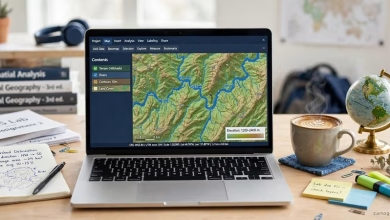

Searching for the best laptop for GIS students? The wrong laptop turns every ArcGIS Pro project into a waiting game. The right one runs your maps, models, and imagery smoothly for all four years of your degree.
This guide is written for students, not IT departments. You will learn exactly which specs matter for ArcGIS Pro and QGIS, which laptop types give the best value, and what to avoid. No brand sponsorship, just practical buying advice.

Best Laptop for GIS Students: Specs That Actually Matter
GIS software is heavier than a browser and lighter than a video game engine. Your laptop sits in the middle. Buy for the software you actually run, and spend money only on the parts that change how fast your maps feel.
1. Windows first if you run ArcGIS Pro
ArcGIS Pro runs natively only on Windows (64-bit). That single fact decides the operating system for most GIS students. ArcGIS Pro 3.8, the current version, needs Windows 11. US university GIS labs run Windows machines, and employers expect ArcGIS Pro skill on Windows.
Apple Silicon Macs can run ArcGIS Pro only through virtualization, such as Parallels Desktop running Windows 11 ARM. Esri supports that route only in a limited way, and some tools that need AVX instructions do not work there. If ArcGIS Pro is your daily tool, buy a Windows laptop.
If you work only in QGIS, a Mac is a fine choice. QGIS runs natively on Apple Silicon, and a MacBook Air with 16 GB or more of unified memory handles QGIS coursework well. Our free GIS software for Mac guide covers the Mac GIS setup in detail.
2. The spec ladder: match the laptop to your workload
Do not buy the most powerful laptop you can afford. Buy the tier that matches your coursework. This table follows Esri’s own ArcGIS Pro guidance and real student workloads.
| Workload | Typical student tasks | RAM | GPU | Storage |
|---|---|---|---|---|
| Light (2D coursework) | Map layouts, attribute joins, basic analysis, small geodatabases | 16 GB | Integrated graphics OK | 512 GB SSD |
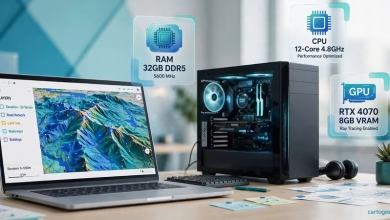
| Standard (ArcGIS Pro + QGIS) | Medium rasters, Python notebooks, Scene View, field data apps | 32 GB | Discrete GPU, 6 GB VRAM or more | 1 TB NVMe SSD |
| Heavy (3D, LiDAR, imagery) | Large mosaics, LiDAR point clouds, 3D city models, deep learning tools | 64 GB | NVIDIA GPU, 8 GB VRAM or more | 1-2 TB NVMe SSD |
Esri lists 8 GB of RAM as the ArcGIS Pro minimum and 32 GB as recommended, with 64 GB or more as optimal. Treat 16 GB as the real student floor. With 8 GB, ArcGIS Pro opens, but large projects crawl.
3. RAM: the single biggest GIS upgrade
RAM matters more than CPU brand for GIS. Big geodatabases, imagery, and multiple open apps eat memory fast. A laptop with 16 GB handles coursework and small projects. A laptop with 32 GB handles professional-size work and stays useful through your degree.
Memory prices rose sharply in late 2026, so a laptop with 32 GB fitted from the factory, or one with an empty slot you can fill later, is the best-value choice right now. Do not buy a machine with soldered 16 GB and no upgrade path if you can avoid it.
Prefer a laptop that lets you upgrade RAM later. Many budget gaming laptops ship with 16 GB and an empty second slot. That upgrade path saves you from replacing the whole machine in year three. Check the upgrade options before you buy, not after.
4. GPU: needed for 3D, optional for 2D
ArcGIS Pro runs on integrated graphics for basic 2D mapping. But 3D scenes, large raster rendering, and deep learning tools need a discrete GPU. Esri recommends a discrete GPU with 8 GB or more of dedicated video memory for serious visualization work.
For deep learning and AI-assisted feature extraction, an NVIDIA GPU with CUDA support is required. If that field interests you, an NVIDIA RTX card is the safe choice. For pure 2D coursework, integrated graphics are enough, and you can spend the savings on RAM and storage instead.
5. CPU, storage, and display: the supporting cast
Choose a modern multi-core CPU with strong single-core speed. Fast single cores make map navigation feel snappy. A current Intel Core i7 or AMD Ryzen 7 class processor covers nearly all student work.
Storage must be an SSD, never a spinning hard drive. GIS caches, imagery, and project files punish slow disks. A 512 GB SSD is the floor, and 1 TB is the comfortable student size. Keep project files on the local SSD, not a cloud-synced folder, while you work.
A 15.6-inch full HD display is the student sweet spot. It shows map layouts without constant zooming, and it keeps the laptop portable enough for class. A color-accurate screen helps when you design maps for print or presentation.
6. Gaming laptops: the best value GIS machines
A mid-range gaming laptop is usually the best value GIS laptop. Gaming and GIS want the same hardware: fast cores, plenty of RAM, an NVIDIA GPU, and good cooling. You get workstation-class performance without workstation pricing.
Look at the ASUS TUF, Lenovo Legion, and Acer Nitro class of machines with 16 GB or more of RAM and an RTX graphics card. Current budget picks sit in the RTX 5050 and 5060 class, such as the Lenovo LOQ, Acer Nitro V, and ASUS TUF lines. They handle ArcGIS Pro, QGIS, and remote sensing tools well. Their only real downsides are weight and shorter battery life than thin ultrabooks.
Do not pay workstation prices unless you need certified drivers or enterprise support. For student work, a gaming laptop does the same job for far less money.
7. Mac for GIS students: who should buy one
Buy a Mac only if your workflow is QGIS, ArcGIS Online, or web GIS. A MacBook Air or MacBook Pro with 16 GB or more of unified memory runs QGIS smoothly and excels at Python, data work, and battery life.
Do not buy a Mac expecting a smooth ArcGIS Pro experience. Virtualization works for light ArcGIS Pro use, but it is a compromise, not a supported setup. If your program requires ArcGIS Pro, the Windows route saves you frustration every week.
8. What to avoid when buying a GIS laptop
Avoid 8 GB of RAM on any new GIS laptop, even if the price looks tempting. It is the most common student regret. Avoid laptops with only a small hard drive or a slow eMMC drive. Avoid Chromebooks for GIS coursework, since ArcGIS Pro and desktop QGIS do not run on them.
Avoid buying on CPU generation alone. A newer low-power chip with 8 GB of RAM loses to an older chip with 32 GB of RAM on real GIS projects. Balance the whole machine, and put RAM and SSD first.
9. Student buying checklist
Use this checklist before you spend anything. First, confirm whether your program requires ArcGIS Pro or only QGIS. Second, pick the spec tier from the table above. Third, check that RAM is upgradeable. Fourth, confirm the SSD is at least 512 GB. Fifth, check battery life if you carry the laptop all day.
Students can also cut software costs to zero. Our ArcGIS student license guide shows how US students get ArcGIS Pro free through their university, and our QGIS beginner tutorial covers the free open-source route. Spend your budget on hardware, not software.
Check ArcGIS Pro System Requirements (Official Esri Page)
Best Laptop for GIS Students FAQs
How much RAM do I need for GIS as a student?
16 GB is the realistic minimum for coursework, and 32 GB is the sweet spot if you run ArcGIS Pro seriously. Esri recommends 32 GB for ArcGIS Pro, with 64 GB as optimal for heavy work. Buy 32 GB if your budget allows, or a laptop you can upgrade later.
Do I need a graphics card for GIS?
For 2D mapping, no. Integrated graphics handle basic ArcGIS Pro and QGIS work. For 3D scenes, large rasters, and deep learning tools, a discrete NVIDIA GPU with 6 GB or more of video memory makes a big difference.
Is a gaming laptop good for GIS?
Yes. Gaming laptops are usually the best value GIS machines because they combine fast CPUs, plenty of RAM, NVIDIA GPUs, and good cooling. They are heavier than ultrabooks, but they run GIS software far better for the money.
Can I use a MacBook for GIS?
Yes, if you work in QGIS or ArcGIS Online. QGIS runs natively on Apple Silicon. But ArcGIS Pro only runs on a Mac through virtualization, with limits, so Windows is the better choice for ArcGIS Pro students.
Can US students get ArcGIS Pro for free?
Yes. Many US universities include ArcGIS Pro through Esri’s education program, accessed with a university email. See our ArcGIS student license guide for the step-by-step routes, including free trials and Esri training courses.
What is the best budget laptop for GIS students?
A mid-range Windows gaming laptop with 16 GB of RAM, a 512 GB SSD, and an RTX graphics card is the best budget pick. It runs both ArcGIS Pro and QGIS well, and you can upgrade the RAM later when your projects grow.
Related posts: ArcGIS Student License Free · Free GIS Software for Mac · QGIS Tutorial for Beginners · GIS Certification for Jobs
That is the complete guide to the best laptop for GIS students. If you run ArcGIS Pro, buy Windows with 32 GB of RAM and a discrete GPU. If you run only QGIS, a Mac or a lighter Windows laptop works fine. Match the machine to your workload, keep RAM upgradeable, and let your laptop last the whole degree.
Disclosure: Some links on this page are affiliate links. If you buy a book through them, CartoGeek may earn a small commission at no extra cost to you. This helps keep our GIS guides free for students. Thank you for your support!
Recommended ArcGIS Pro Books
Getting to Know ArcGIS Pro 3.6 (Esri Press)
by Michael Law, Amy Collins
Esri Press’s best-selling step-by-step workbook for learning ArcGIS Pro, with hundreds of full-color images, real-world case studies and progressive exercises. The long-running “Getting to Know” series has taught GIS to students and professionals for over 20 years.
Pros:
- Official Esri Press material — matches the software exactly
- 300+ full-color screenshots make every step visual
- Works as both textbook and desk reference
Cons:
- Tied to specific ArcGIS Pro versions, so buy the newest edition
- Assumes access to ArcGIS Pro (trial or license)
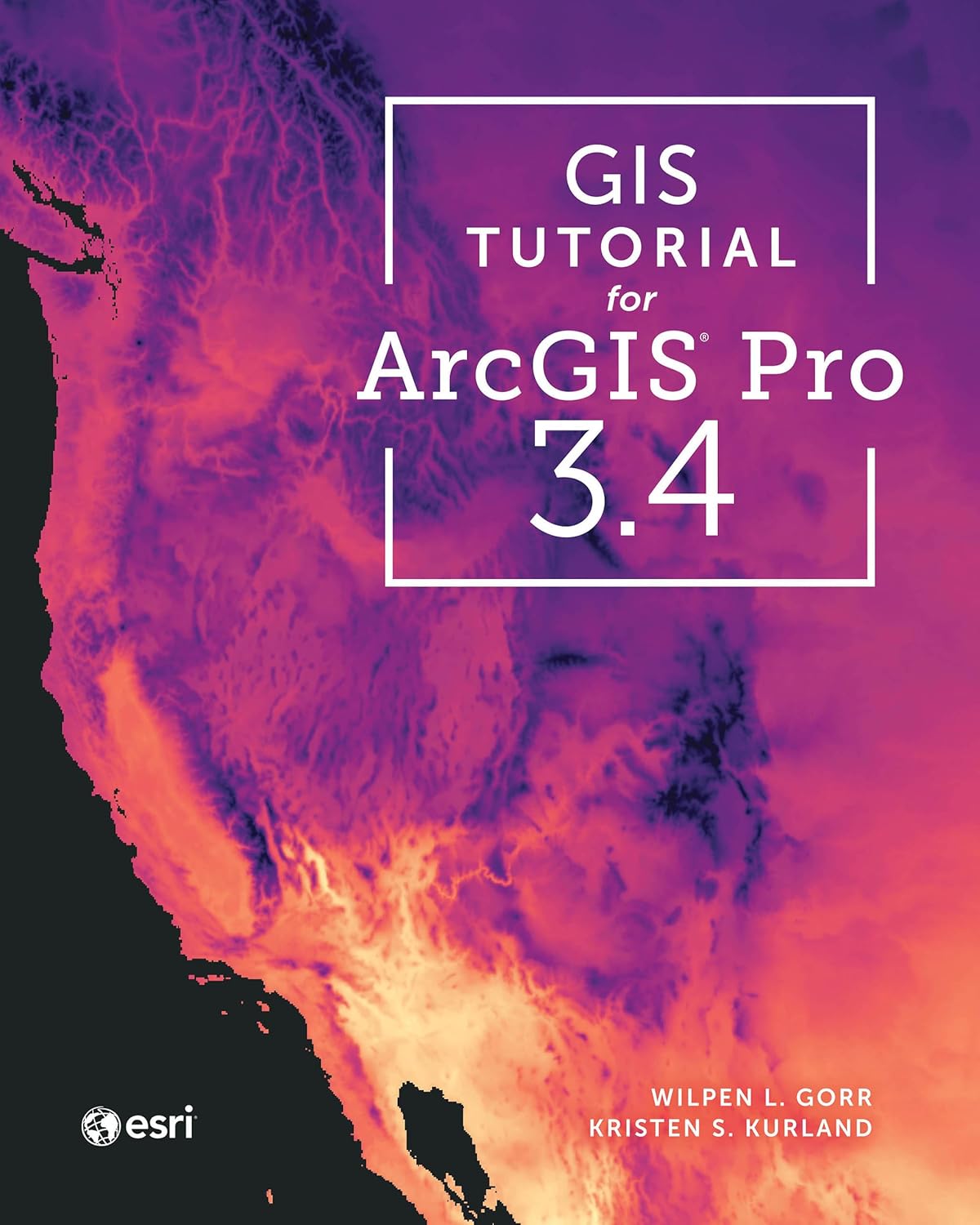
GIS Tutorial for ArcGIS Pro 3.4 (Esri Press)
by Wilpen L. Gorr, Kristen S. Kurland
A classroom-tested ArcGIS Pro workbook by two Carnegie Mellon instructors, with hands-on exercises and homework assignments that build real problem-solving skills. Written for both university courses and self-learners who want a rigorous primer.
Pros:
- Academic rigor — used in real university curricula
- Exercises reinforce each concept
- Instructor resources available for teachers
Cons:
- Denser and more demanding than casual guides
- Best paired with an instructor or study group

Python Scripting for ArcGIS Pro, 3rd Edition (Esri Press)
by Paul A. Zandbergen
Esri Press’s focused guide to automating ArcGIS Pro with Python and arcpy — from first scripts to geoprocessing tools. Short and practical, it targets GIS users who want to stop repeating manual workflows.
Pros:
- Official Esri Press — arcpy examples match the software
- Short, focused, no filler
- Immediately applicable automation skills
Cons:
- Requires basic Python before starting
- Narrow focus — ArcGIS Pro only